

A batch of networking updates just landed in the client area. Most of them share a theme: things that used to need a support ticket are now buttons.
Swap NIC: move an identity between VMs
Migrating to a new server usually ends with the nervous part: getting the old machine’s addresses onto the new one. Swap NIC moves the full IP configuration, addresses and MAC included, between two VMs in one operation. Build the replacement, test it, swap the network identity, done. No manual reconfiguration and far less cutover time.
Floating IPs
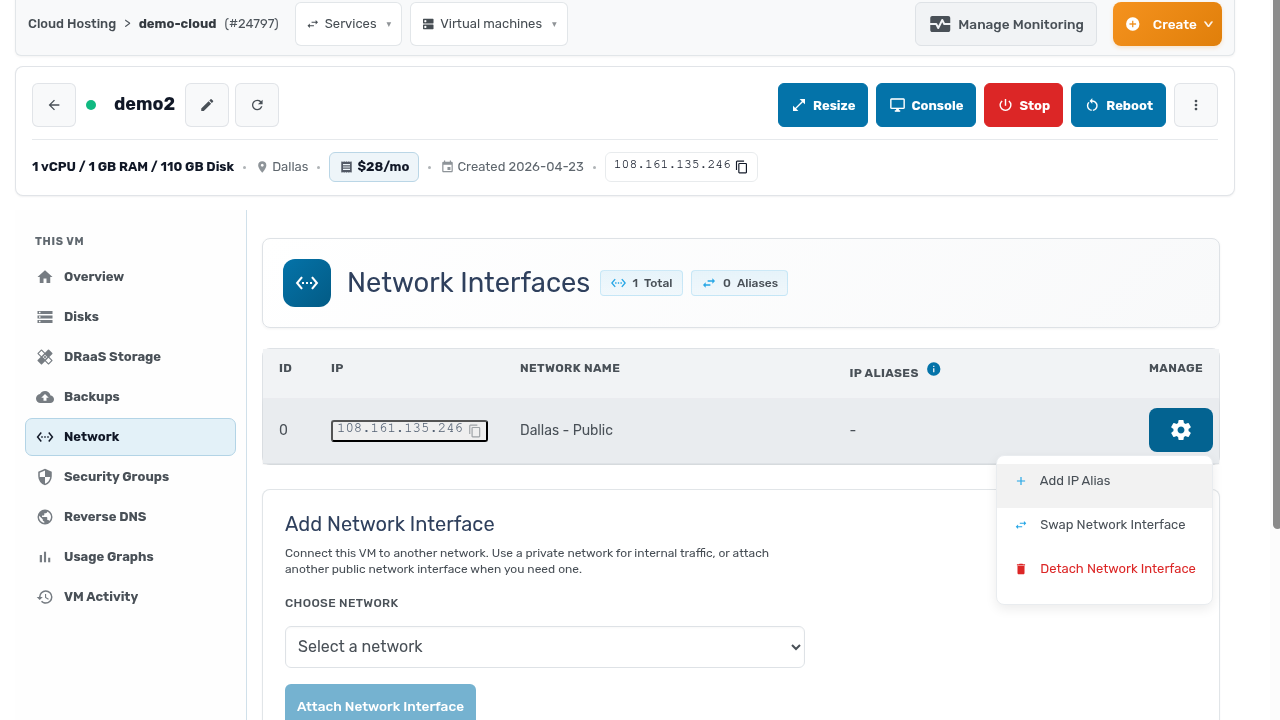
IP aliases can now move from one VM to another in seconds. Keep a service address on an alias, and you can shift it to a standby machine during failover. Or to the new version during a rolling upgrade, without touching DNS. Both actions live in the gear menu on any network interface.
Private networks, built by you
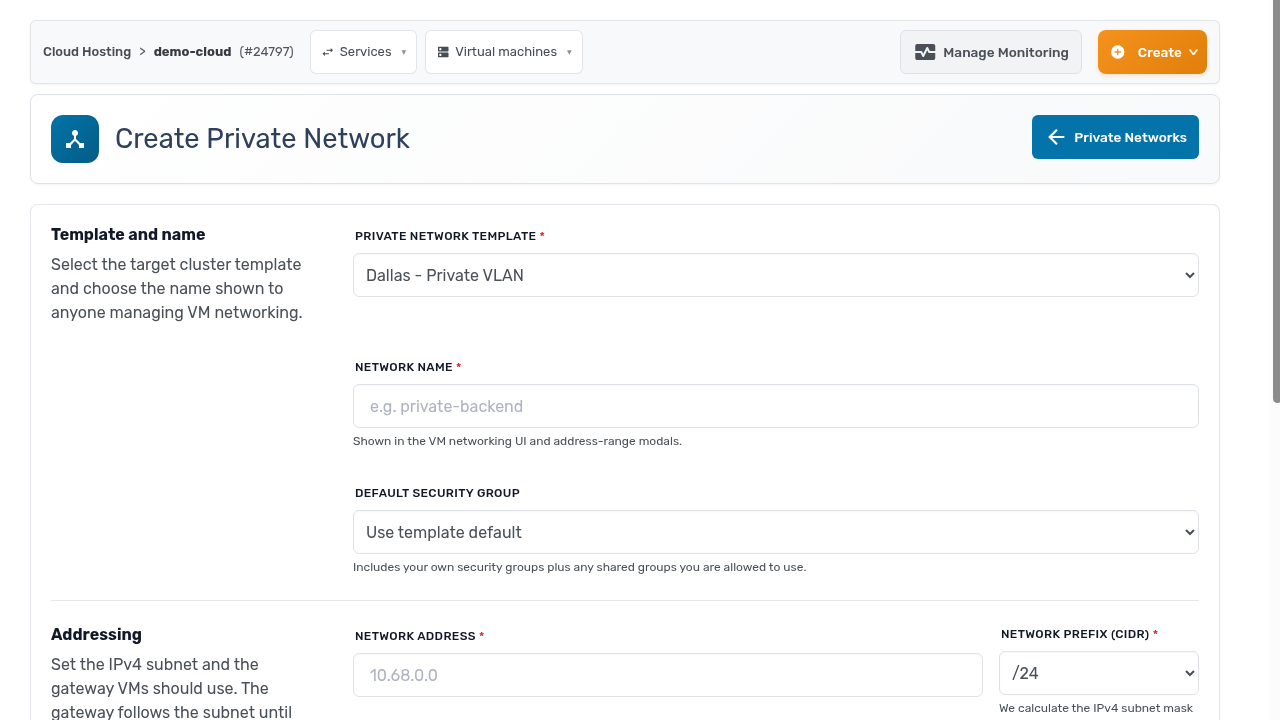
Private networks are now fully self-serve. Create one from the client area, choose the address assignment, define the range, and set the MTU. Backend traffic between your VMs gets its own network without anyone waiting on a ticket.
IPv6 and reverse DNS, too
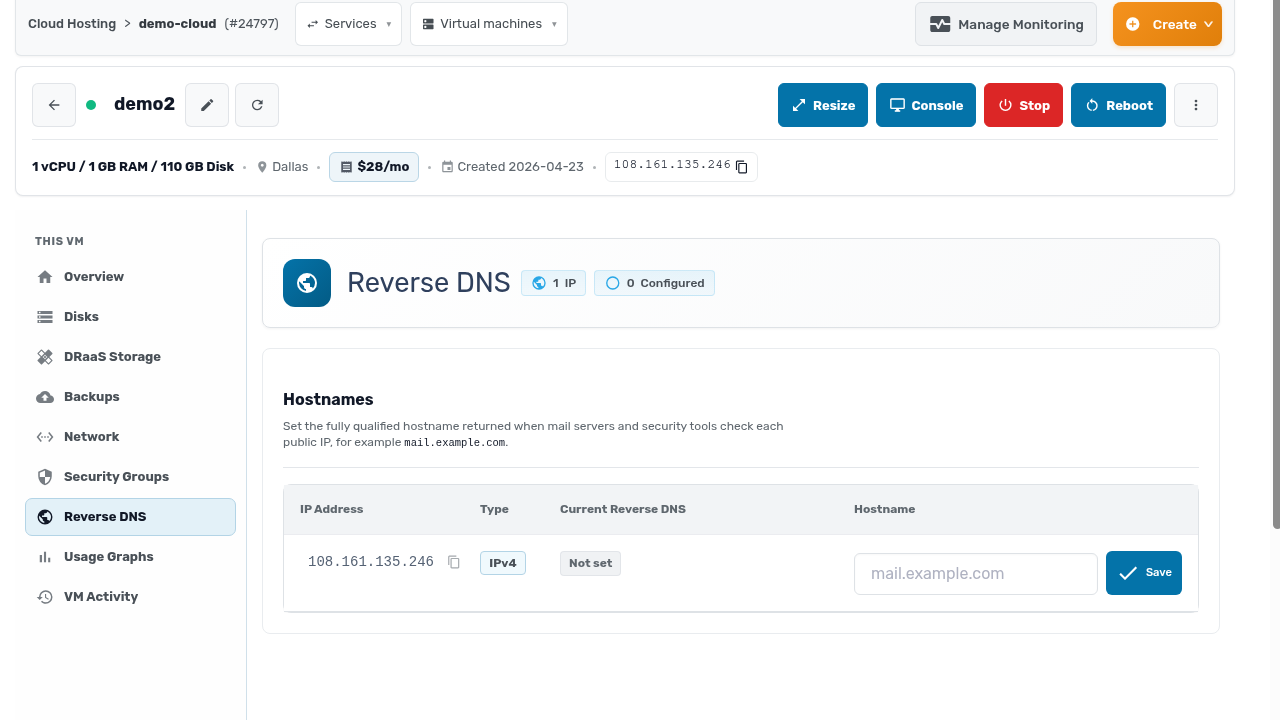
You can add IPv6 addressing to your servers directly from the client area. Reverse DNS is self-serve too. Set or clear a PTR record per IP, instantly, with no ticket. Those are the entries mail servers and security tools check.
The pattern across all of it: your network architecture is yours to change, at whatever hour you schedule the migration.
