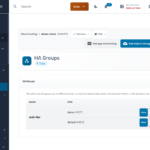
Two web servers behind a load balancer look redundant on a diagram. But if both VMs happen to land on the same physical host, one hardware fault takes out both, and you usually find that out during the outage. HA Groups fix this. Put VMs that back each other up in a group, and each…
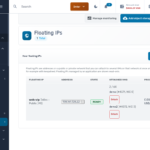
If you’ve run high availability on Linux, you know the pattern. Two servers share a virtual IP, and VRRP decides which one holds it. When the active server fails, the standby claims the address within seconds, and clients keep connecting to the same IP. You can now build that on Cloud VPS. A floating IP…
Plenty of people run a Windows server in the cloud for one reason: they want a desktop they can reach from anywhere. They browse the web, keep a few sites logged in, or work from a fixed IP address. A Windows Server license, billed every hour, is a lot to pay for that. Our new…
Object Storage is now live at Togglebox, in both our Dallas and Philadelphia clouds. It is standard S3 on NVMe-backed storage. If you already run Cloud VPS with us, adding it takes one click and costs nothing until you store your first byte. Fast enough for production data Most object storage is built as a…
Two moments make any admin nervous: starting a big in-place upgrade, and staring at a machine that will not boot. Cloud VPS now has a feature for each. Upgrade Mode gives you a way back before you touch anything. Rescue Mode gets you in after something breaks. Upgrade Mode: a checkpoint before risky changes Distribution…
Everything you can do in the Togglebox client portal, you can now do over HTTP. The Togglebox API is a REST API that covers the whole account: services, billing, cloud infrastructure, DNS, domains, object storage, SSL certificates, and support. The full interactive reference lives at manage.togglebox.com/userapi. What it covers The largest group is Cloud Hosting:…
When something changes in your infrastructure, the first question is always the same: what happened, and who did it? The client area now answers that directly. The new Activity Log keeps a complete chronological record of every action in your cloud service, and clearer operational feedback tells you how each action went while it runs.…
A batch of networking updates just landed in the client area. Most of them share a theme: things that used to need a support ticket are now buttons. Swap NIC: move an identity between VMs Migrating to a new server usually ends with the nervous part: getting the old machine’s addresses onto the new one.…
Three updates to how you protect and move your data, all live now in the client area. DRaaS per VM, no separate account You can now turn disaster recovery protection on or off for each virtual machine. DRaaS storage used to require a separate account. That requirement is gone. Open a VM, go to DRaaS…
Get new guides by email
We send a note when a new guide or release lands. No marketing drip.
Ready to move from research to deployment?
Use the blog for planning, then switch to a product page for pricing and launch steps.