

Two quality-of-life updates for anyone running more than a couple of VMs. Rebuilds that do not mean starting over, and a way to keep a growing fleet findable.
Reinstall and change OS in one step
Reinstalling a VM now lets you switch to a different operating system at the same time. Pick any template during the reinstall. A newer release of the same distro, a different one entirely, or a fresh copy of what you had.
The VM keeps its place in your service, and IP addresses and firewall rules stay with it where possible. The machine comes back with the same identity and a clean OS disk.
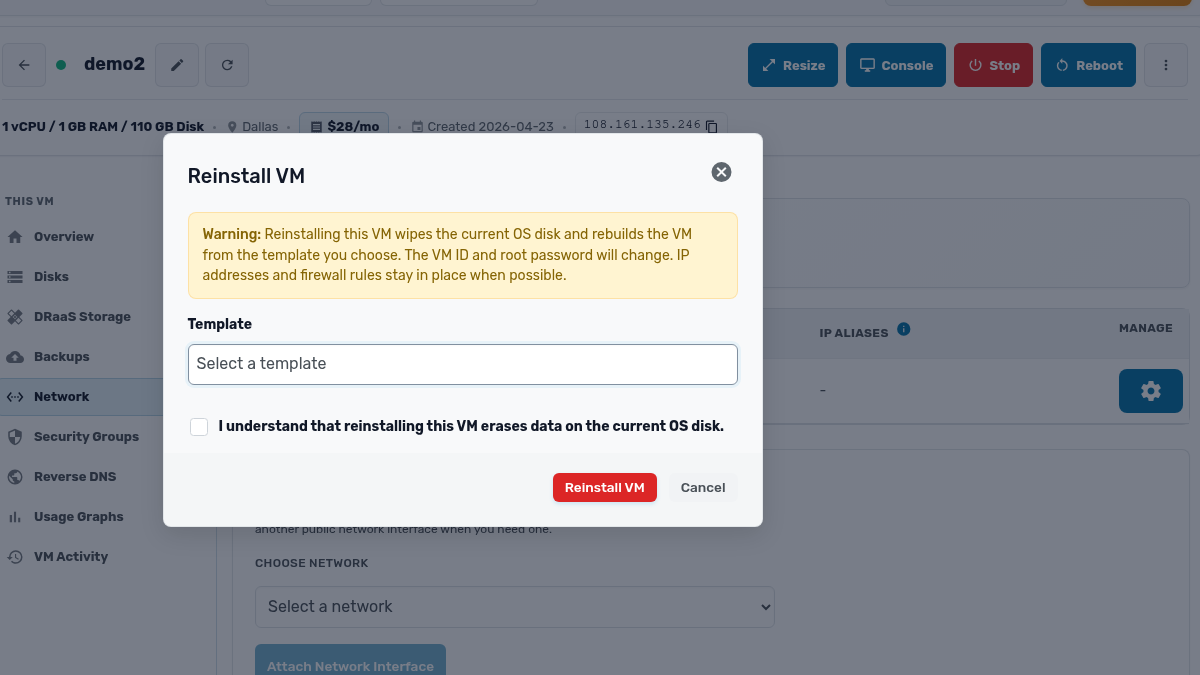
That makes rebuilds cheap in the way that counts. Test a new OS, repurpose a machine, recover from a configuration gone wrong. None of it means provisioning a new instance and re-plumbing its networking.
The dialog is honest about the cost, too. It wipes the OS disk, and it makes you confirm you understand that before the button works.
Tags
You can now tag VMs by whatever scheme your team thinks in: purpose, environment, owner, project. Tags show up in the VM list, and you can search and filter on them. That is the difference between scrolling for “that staging box Dave set up” and typing the tag that finds it.
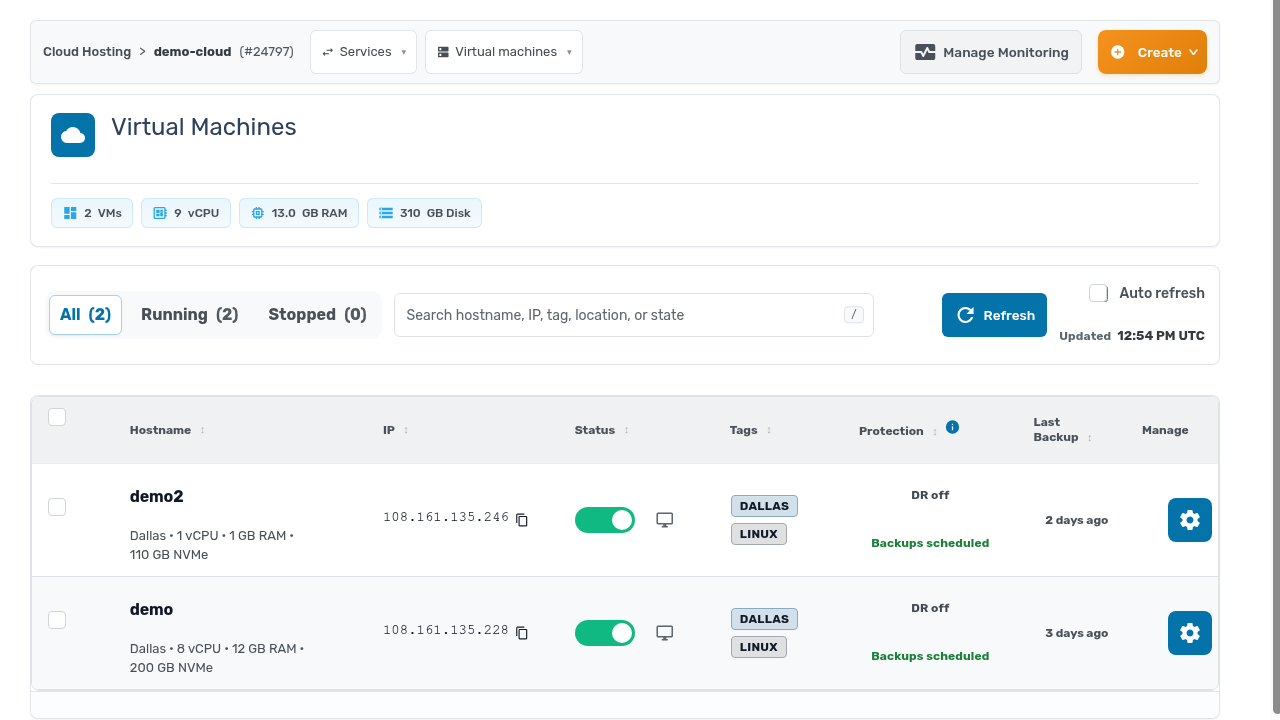
Neither feature is glamorous. Both remove a small recurring tax on operating at scale, and those add up.
