

Two moments make any admin nervous: starting a big in-place upgrade, and staring at a machine that will not boot. Cloud VPS now has a feature for each. Upgrade Mode gives you a way back before you touch anything. Rescue Mode gets you in after something breaks.
Upgrade Mode: a checkpoint before risky changes
Distribution upgrades, kernel changes, database major versions, Windows in-place upgrades: sometimes they go fine, and sometimes you spend the night wishing you could go back twenty minutes. Upgrade Mode makes that wish a button.
When you enter Upgrade Mode, the VM powers off briefly so we can take a consistent restore point of every disk, then starts again. While the mode is on, the client area marks the VM and blocks anything that would disturb the safety net, so nobody resizes, reinstalls, deletes, or changes disks mid-upgrade.
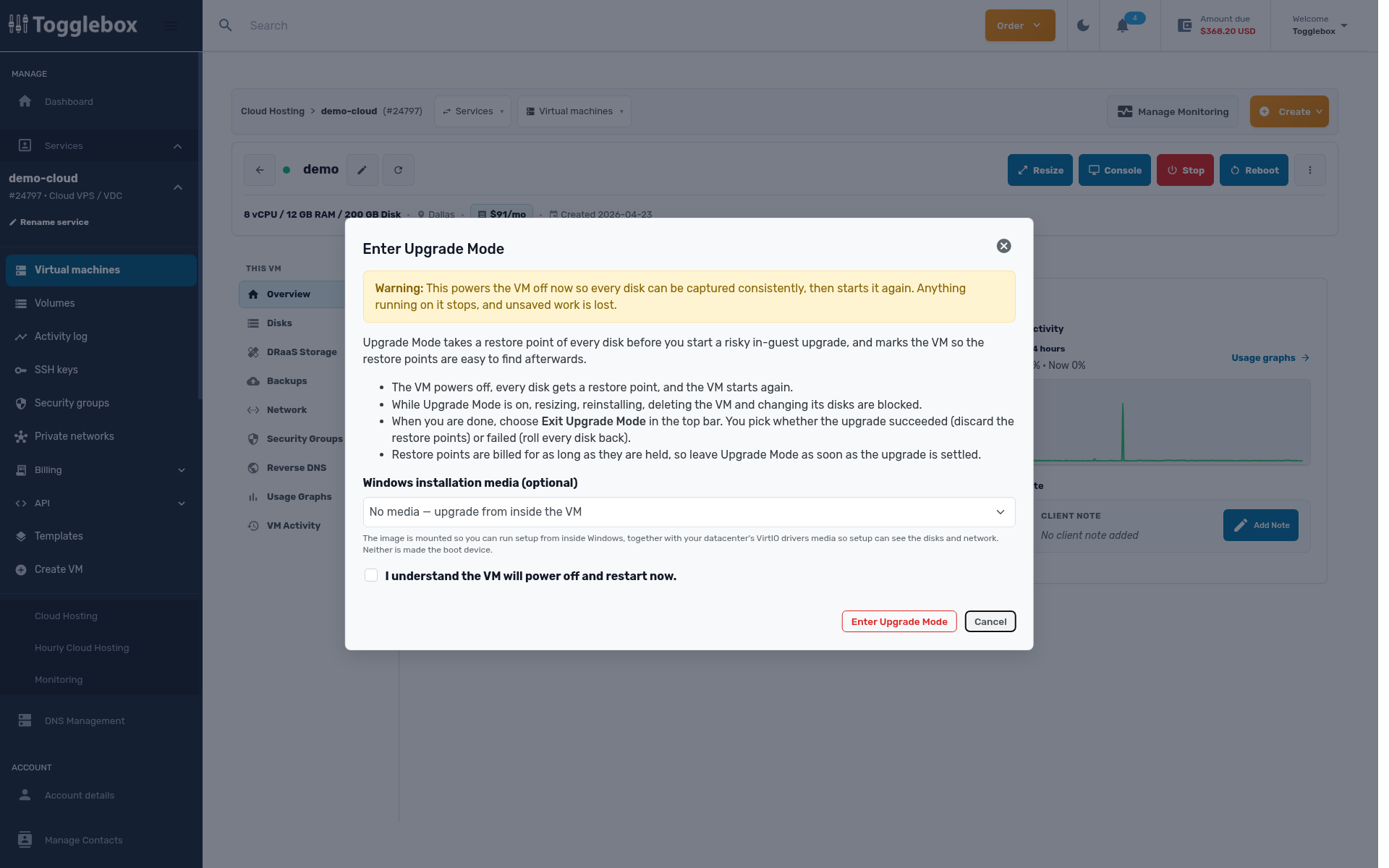
Windows VMs get one extra convenience. Pick a Windows version in the dialog and we mount its installation media alongside the VirtIO drivers, so setup can see your disks and network. Neither becomes the boot device. You run setup from inside Windows, the supported path for an in-place upgrade, and you never have to hunt for an ISO.
Then do the upgrade at your own pace. When it is settled, choose Exit Upgrade Mode in the top bar and answer one question: how did it go? If it succeeded, we discard the restore points and keep everything you wrote since. If it failed, we roll every disk back, and the VM is exactly the machine you had before you started.
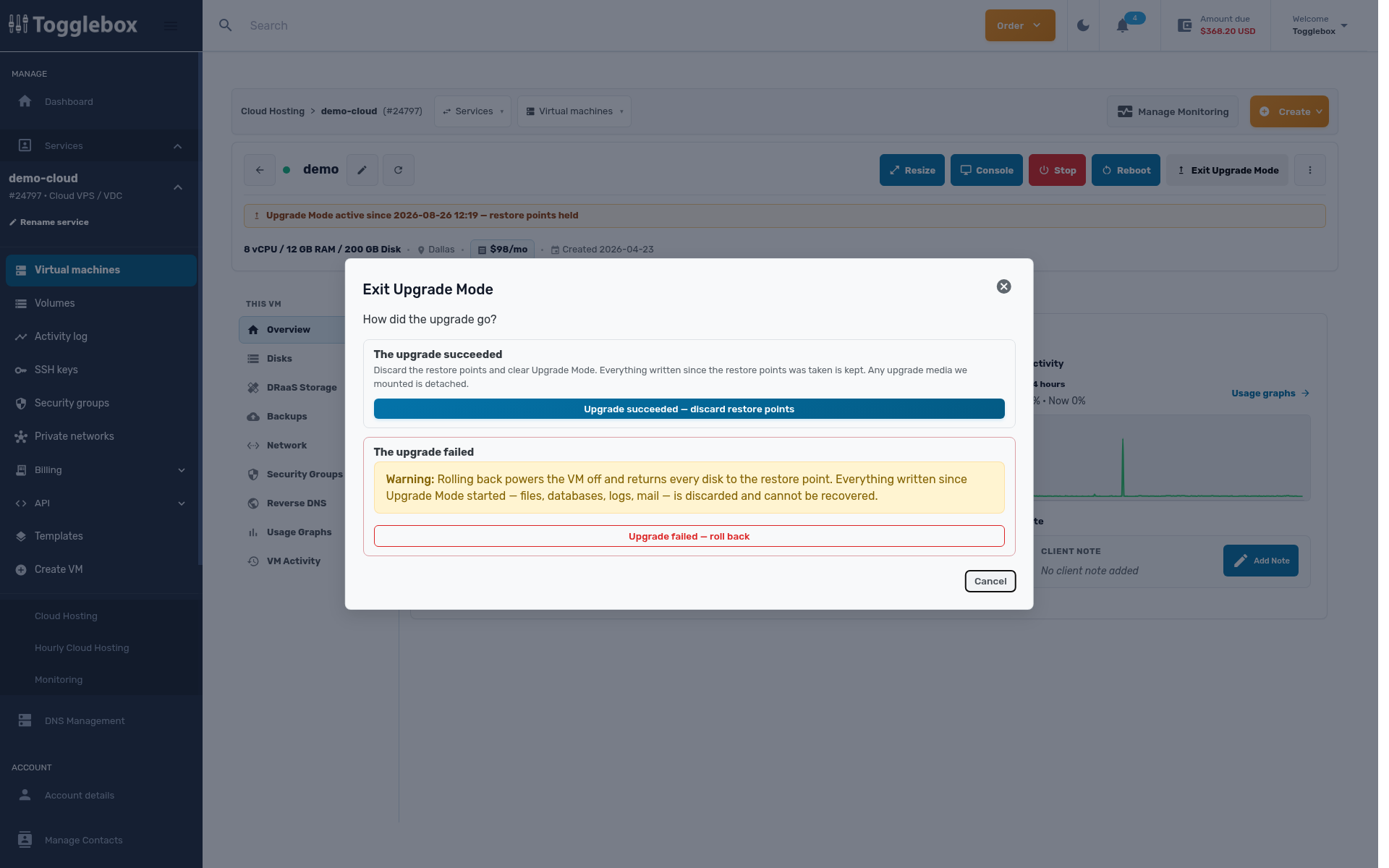
You pay for restore points for as long as we hold them, so exit Upgrade Mode once you know the outcome rather than leaving it on for days.
Rescue Mode: a way into a machine that will not boot
A bad fstab line, a broken bootloader, a forgotten root password, a filesystem that needs fsck: none of these are hard to fix if you can get to the disk. Rescue Mode gets you to the disk.
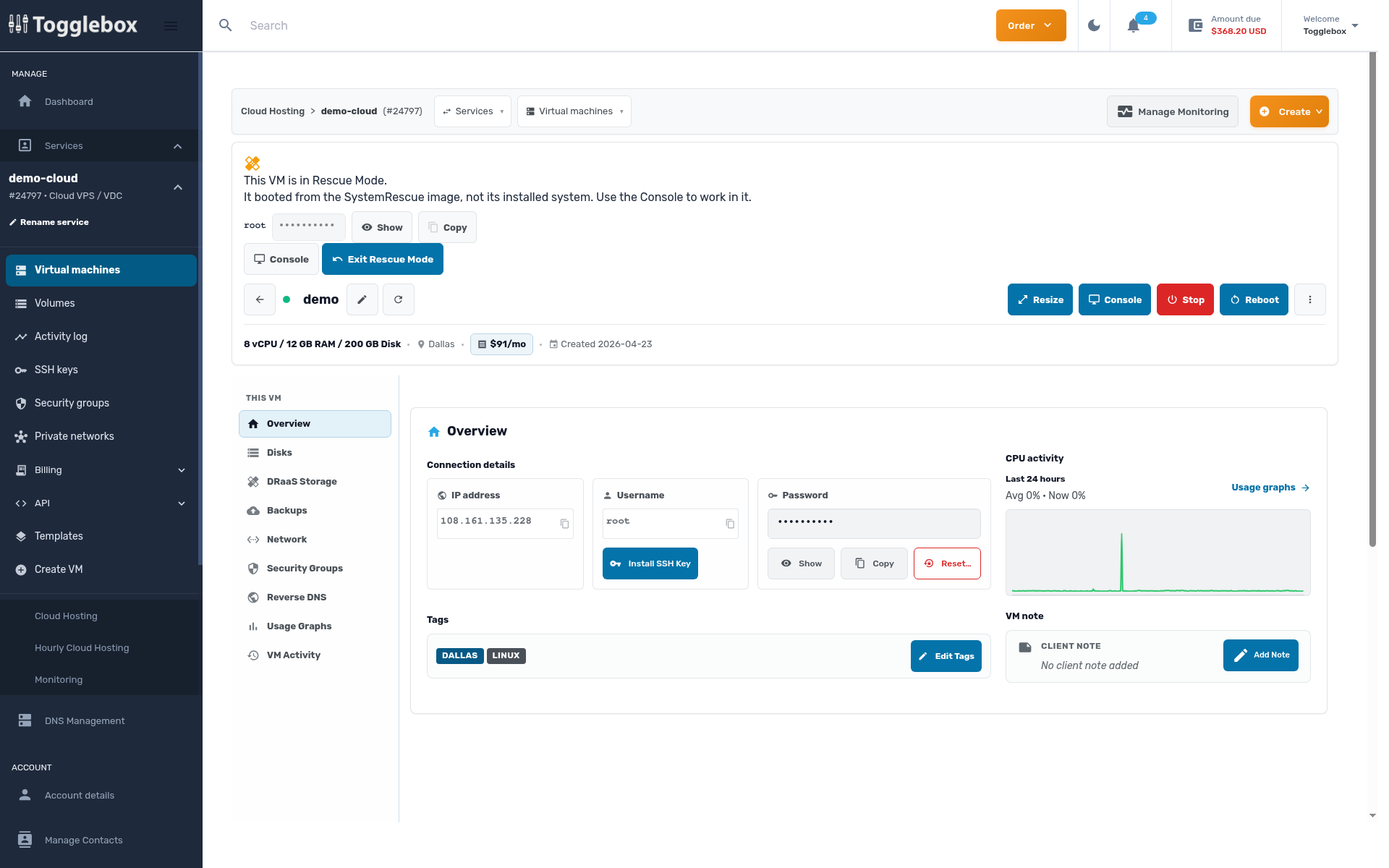
It attaches our tuned SystemRescue image, sets it as the boot device, and restarts the VM into a small live Linux environment. Networking and SSH come up on their own, the VM keeps its IP addresses, and the client area shows a banner with the rescue root password and a one-click console.
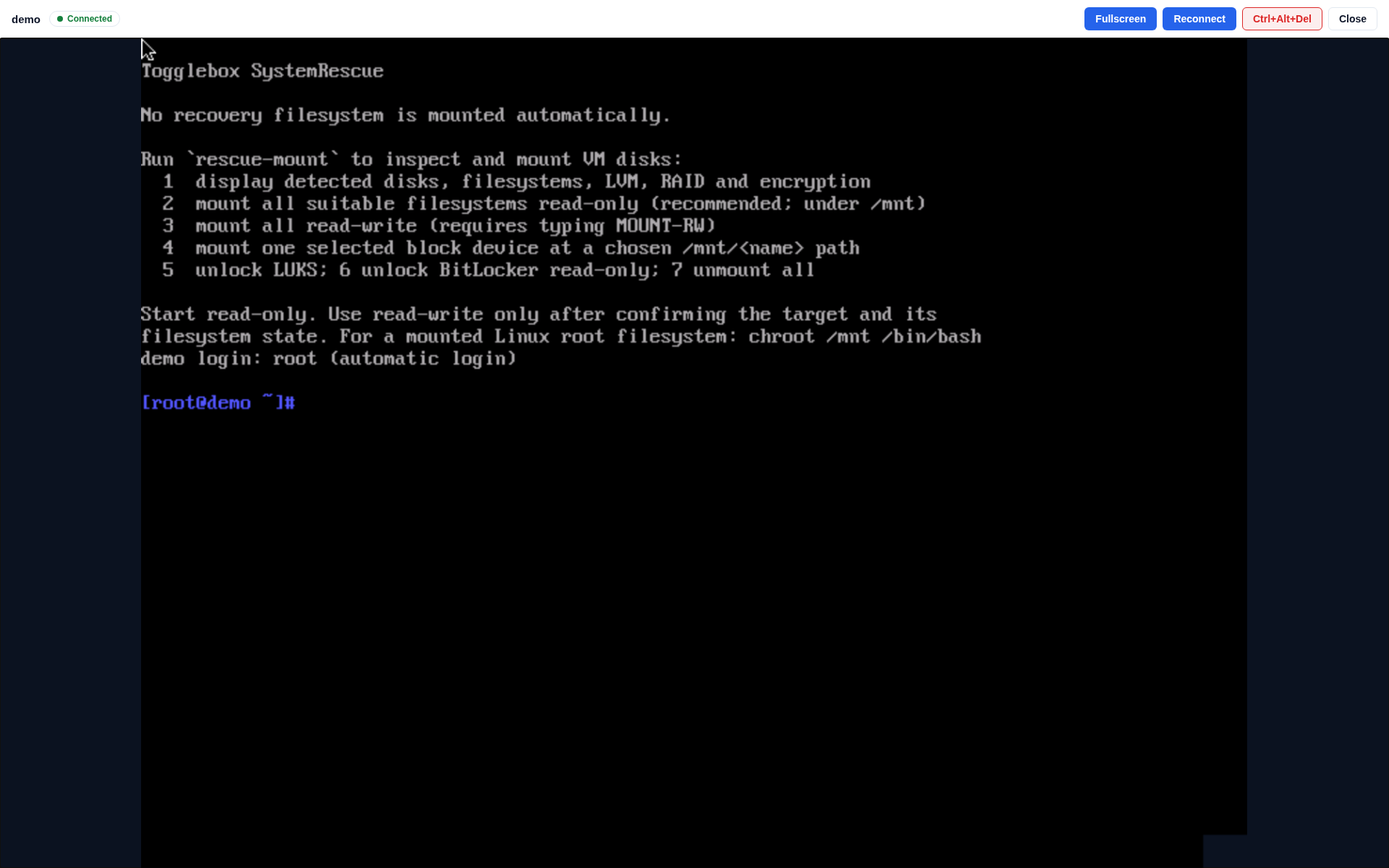
Your disks stay untouched at boot, and a helper called rescue-mount handles the mounting. It detects disks, filesystems, LVM, RAID, and encryption, then mounts everything under /mnt with one keystroke. Read-only is the default, and the safe choice for inspecting a sick system; repairs need read-write, which you confirm by typing MOUNT-RW, so you cannot slip into writable mode by accident. It can also mount a single device or unlock LUKS and BitLocker volumes.
When the patient is fixed, choose Exit Rescue Mode from the banner. That detaches the rescue image, restores the normal boot disk, and restarts the VM into its installed system.
When to reach for which
Upgrade Mode is for the moment before a risky change: take restore points, do the work, keep it or roll it back. Rescue Mode is for the morning after, when the system is already broken and you need somewhere to stand while you repair it. Like scheduled backups and per-VM DRaaS, they exist so a mistake costs you minutes, not a weekend.
Both features are live now on every Cloud VPS, under the actions menu on your VM’s page in the client area.
