

Object Storage is now live at Togglebox, in both our Dallas and Philadelphia clouds. It is standard S3 on NVMe-backed storage. If you already run Cloud VPS with us, adding it takes one click and costs nothing until you store your first byte.
Fast enough for production data
Most object storage is built as a cold shelf: fine for backups you hope never to read, slow the moment an application depends on it. Ours is backed by NVMe flash, so buckets can sit in the hot path of an application. Serve user uploads from one bucket, write build artifacts and rotated logs to another, and still use it as a target for Cloud VPS backups and long-term archives. The storage layer is also highly available, so a single node failure does not take your objects offline.
The tools you already use work as-is: rclone, restic, s3cmd, the AWS CLI, and every S3 SDK. Point them at your endpoint, paste your keys, and go.
One click for existing cloud customers
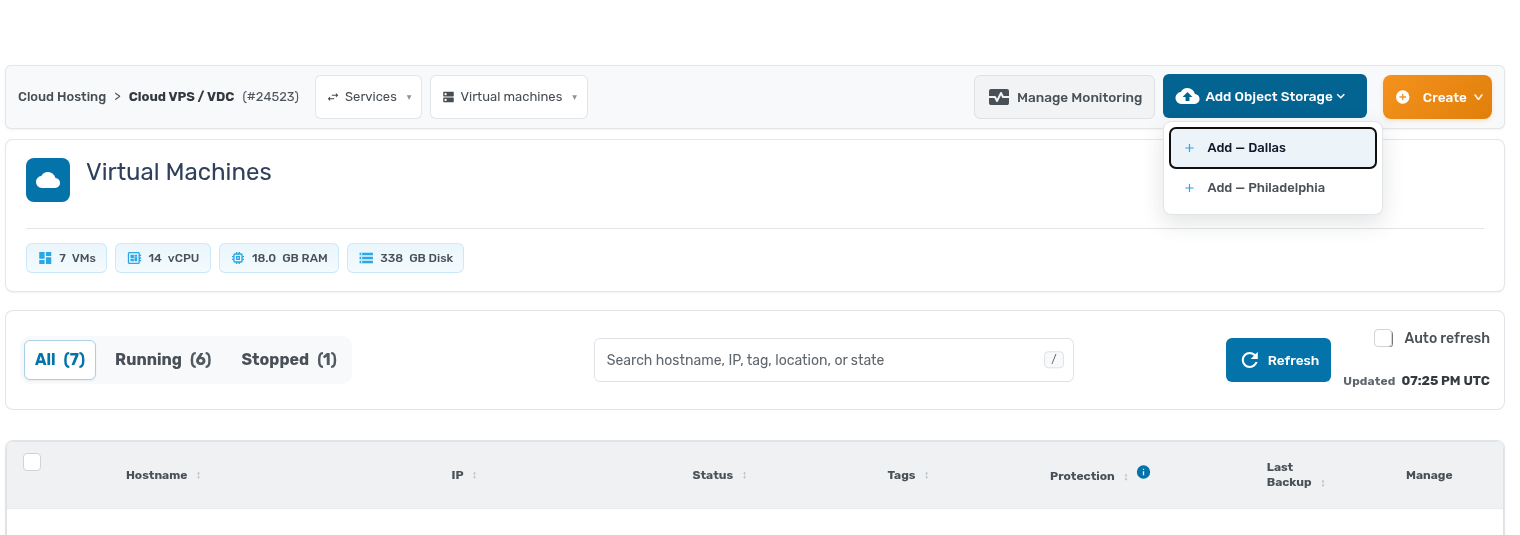
Open your Cloud VPS service in the client area and you will find a new Add Object Storage button in the top bar. Pick Dallas or Philadelphia, and that is the whole form.
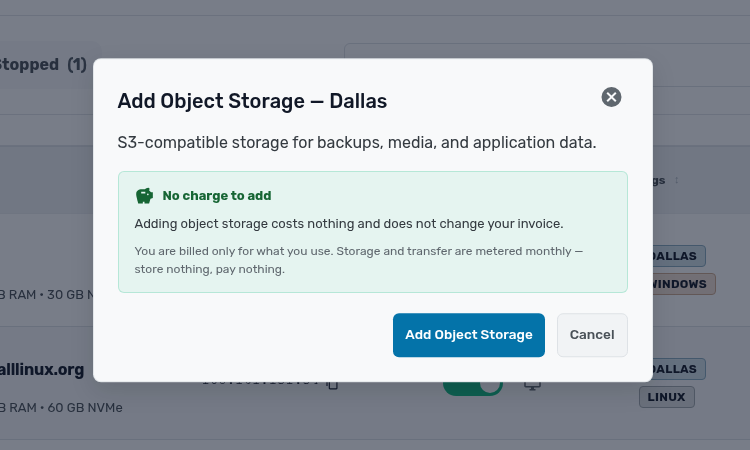
Adding the service is free and does not change your invoice. Storage and transfer are metered monthly, so you pay only for what you use. Store nothing, pay nothing.
Your account comes ready to use
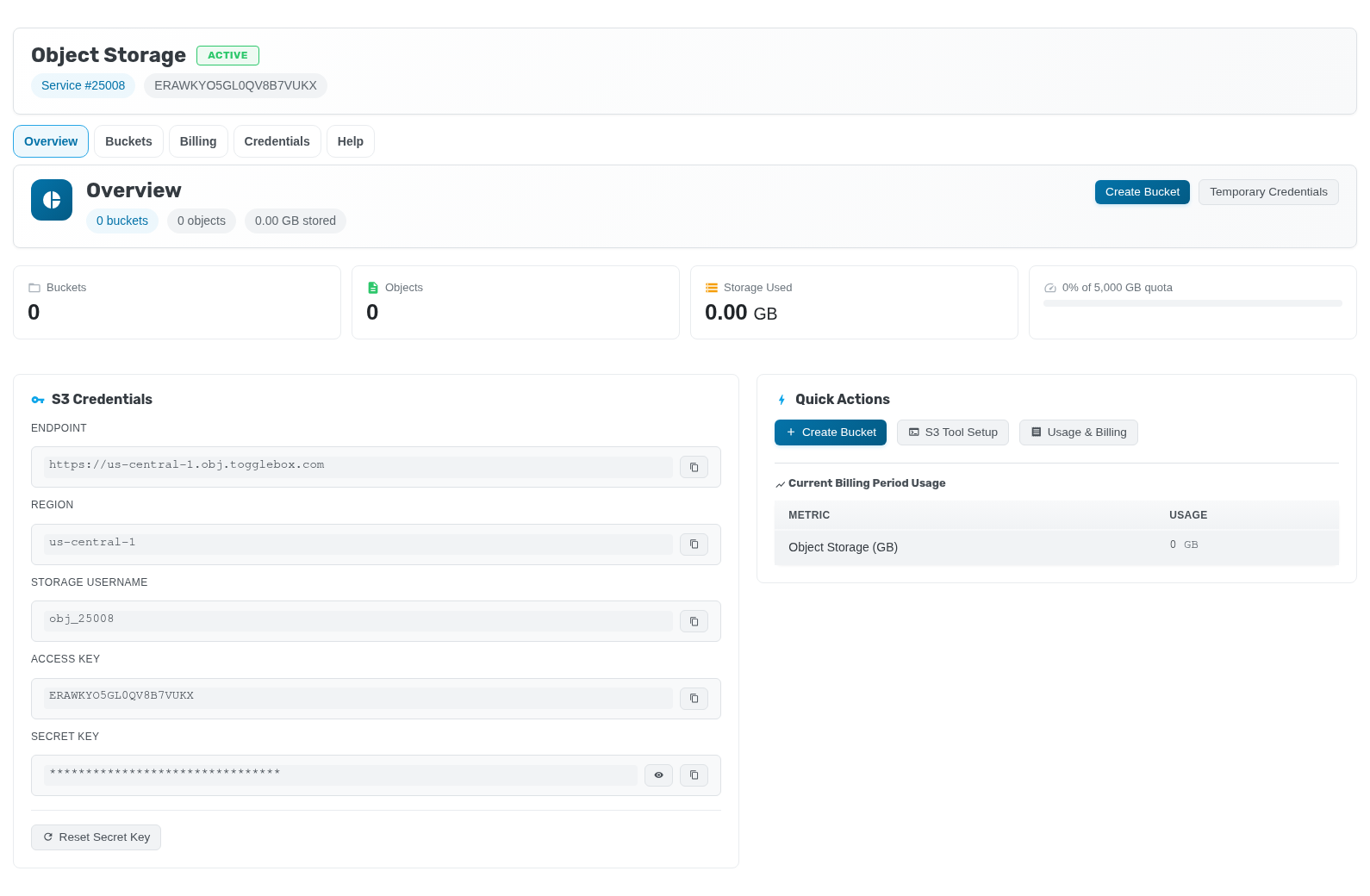
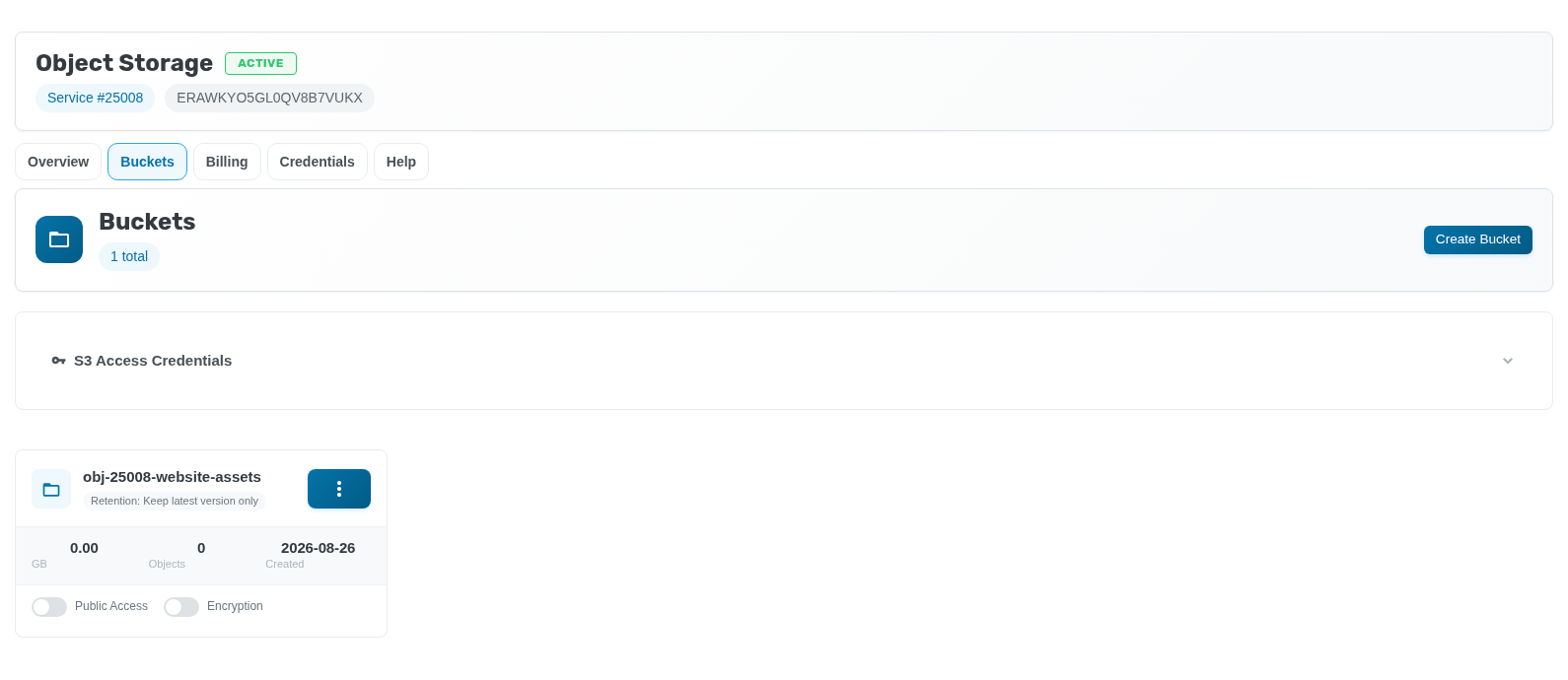
Seconds later you have an Object Storage account with S3 credentials ready: endpoint, region, access key, and secret key, each with a copy button. The overview tracks buckets, objects, and storage against your quota. If a key ever leaks, reset the secret in place, or hand short-lived jobs temporary credentials instead of your main key.
Create a bucket in one dialog
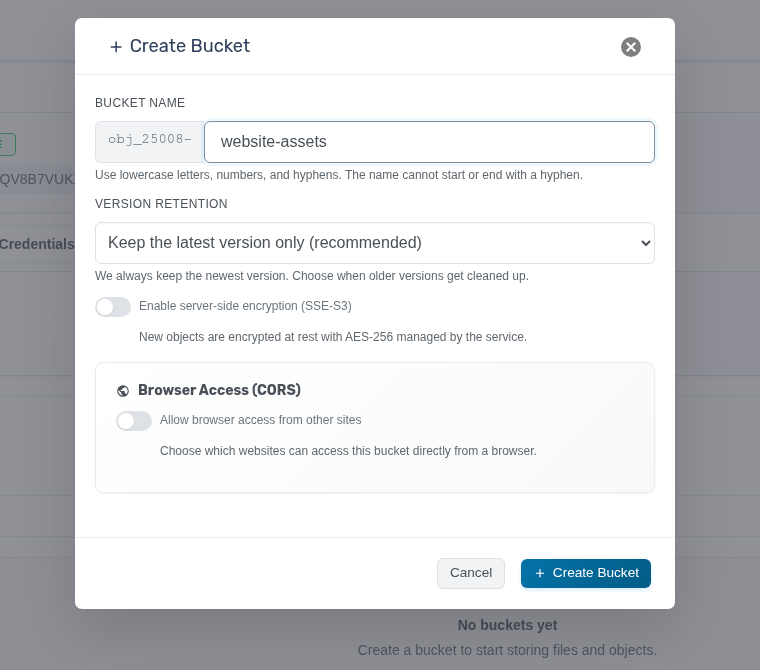
You create buckets from the client area too. Name the bucket, choose what happens to older versions of an object, and optionally turn on server-side encryption, which encrypts new objects at rest with AES-256. If a website needs to read the bucket straight from a browser, enable CORS and list the sites allowed to do so. Everything else is a sane default.
Each bucket card shows size, object count, and toggles for public access and encryption.
Browse and upload without leaving the client area
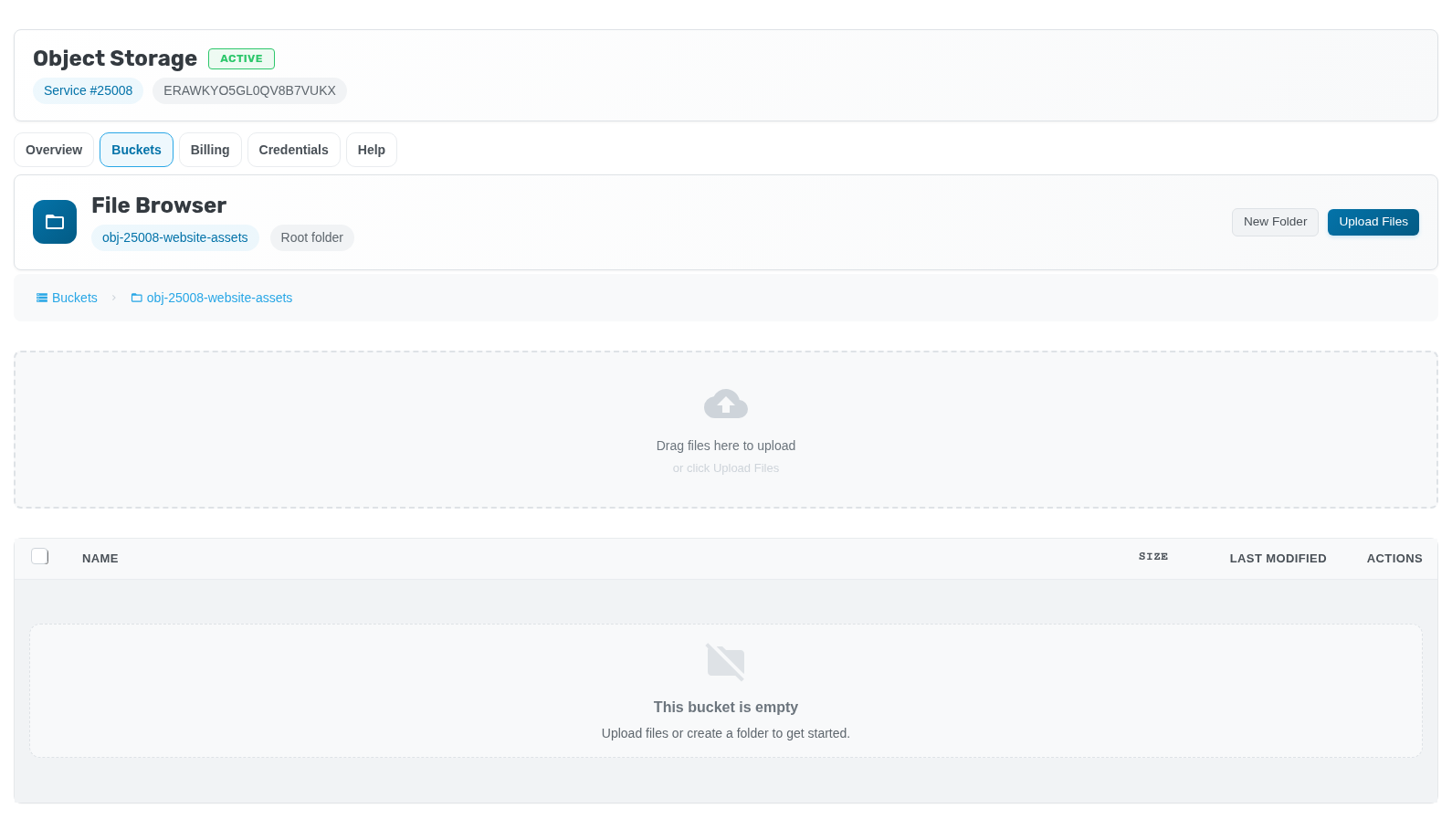
Every bucket has a built-in file browser: drag files in to upload them, create folders, and manage objects without configuring a single tool. It is the fastest way to sanity-check what a backup job wrote last night, and a teammate can fetch a file without needing S3 credentials on their laptop.
Pricing
Storage is $0.10 per GB per month. Every account includes 1 TB of egress per month; traffic beyond that is $0.001 per GB. Traffic between your Togglebox Cloud VPS or App Hosting nodes and Object Storage is not billed as public egress, so backup jobs and app traffic inside our cloud do not eat the allowance.
If you are not a Togglebox customer yet, you can order Object Storage on its own from the Object Storage page: pick Dallas or Philadelphia and check out. Existing cloud customers can skip the cart; the Add Object Storage button is already in your client area.
